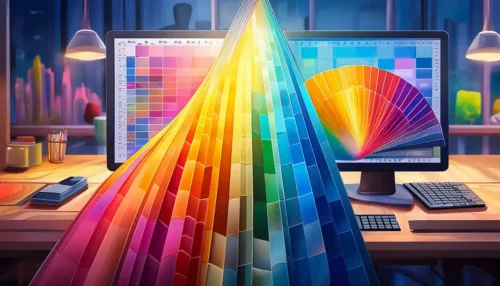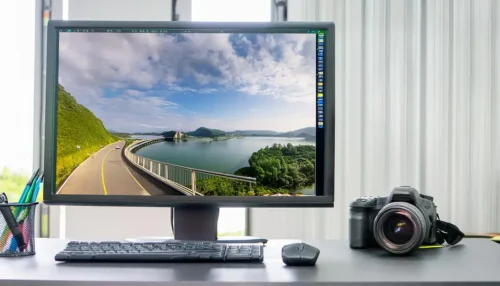

2. Why calibrate the monitor?
Here are some reasons why you should calibrate your monitor:
3. Color accuracy: 4. An uncalibrated monitor can display colors incorrectly, leading to inaccurate designs and printed results. 5. Calibration ensures that the colors on your screen are as close as possible to the real colors.
6. Consistency: 7. Without calibration, colors can change over time, which can cause your designs to look different on various screens. 8. Regular calibration ensures consistent display across different devices.
9. Printing accuracy: 10. When creating designs that will be printed, precise color reproduction is essential. 11. Calibrating your monitor allows you to ensure that the printed results meet your expectations.
12. What hardware is available?
13. To calibrate your monitor correctly, you need special hardware known as color measurement or calibration devices. 14. Here are some common options:
-
15. Colorimeters16. : These devices are placed on the screen and measure colors while displaying specific test patterns. 17. They are easy to use and suitable for the average user.
-
18. Spectrophotometers19. : These advanced devices provide more precise color measurements by analyzing the light spectrum. 20. They are ideal for professional graphic designers and photographers who require the highest accuracy.
-
21. Calibration software22. : Along with hardware, you also need special software to calibrate your monitor. 23. This software guides you through the calibration process and allows you to adjust your monitor settings.
24. Manufacturers of hardware for monitor calibration
25. Here are three manufacturers of hardware for monitor calibration, along with their contact details and key features:
26. Datacolor:
- 27. Website: 28. datacolor.com
- E-mail: sales@datacolor.com
- Telefon: +1 800-554-8688
29. Datacolor also offers a variety of calibration devices for monitors, including colorimeters and spectrophotometers. 30. Their devices are characterized by ease of use and precision. 31. The key features include:
-
- 32. Automatic adjustment of monitor brightness, contrast, and color temperature
- 33. Creation of ICC profiles for various output devices and environments
- Support for advanced features such as ambient light measurement and monitor validation
EIZO:
- 27. Website: eizo.com
- E-mail: info@eizo.com
- Telefon: +49 2102 9599-0
EIZO offers high-quality monitors and calibration devices for professional users. Their products are characterized by their precision and durability. 31. The key features include:
-
- Integrated calibration sensors in some monitor models for automatic calibration
- Support for third-party hardware calibration devices for manual calibration
- High image quality and color accuracy for professional applications such as graphic design and photo editing
X-Rite:
- 27. Website: xrite.com
- E-mail: info@xrite.com
- Telefon: +1 800-248-9748
X-Rite offers a wide range of calibration devices for monitors, including colorimeters and spectrophotometers. Their devices are known for their accuracy and reliability. 31. The key features include:
-
- Measurement of brightness, contrast, and color accuracy of the monitor
- Creation of custom ICC profiles for precise color reproduction
- Compatibility with various display technologies and operating systems
These devices provide you with professional solutions for monitor calibration and enable you to optimize and ensure the color accuracy of your monitor, keeping your work consistent and precise.
Conclusion
Calibrating your monitor is an important step to ensure that your designs are accurate and consistent. By using specialized hardware and software, you can optimize your monitor's color accuracy and ensure that your work always looks professional, whether on screen or printed. Invest in the right equipment and regularly take time for calibration – it will reflect in the quality of your work.